
New in Smaart v9.2: Inverse Pink Weighting
Most system engineers are familiar with A- and C-weighting, but Smaart v9.2 introduced a more purpose-built option for system work: Inverse Pink Weighting.
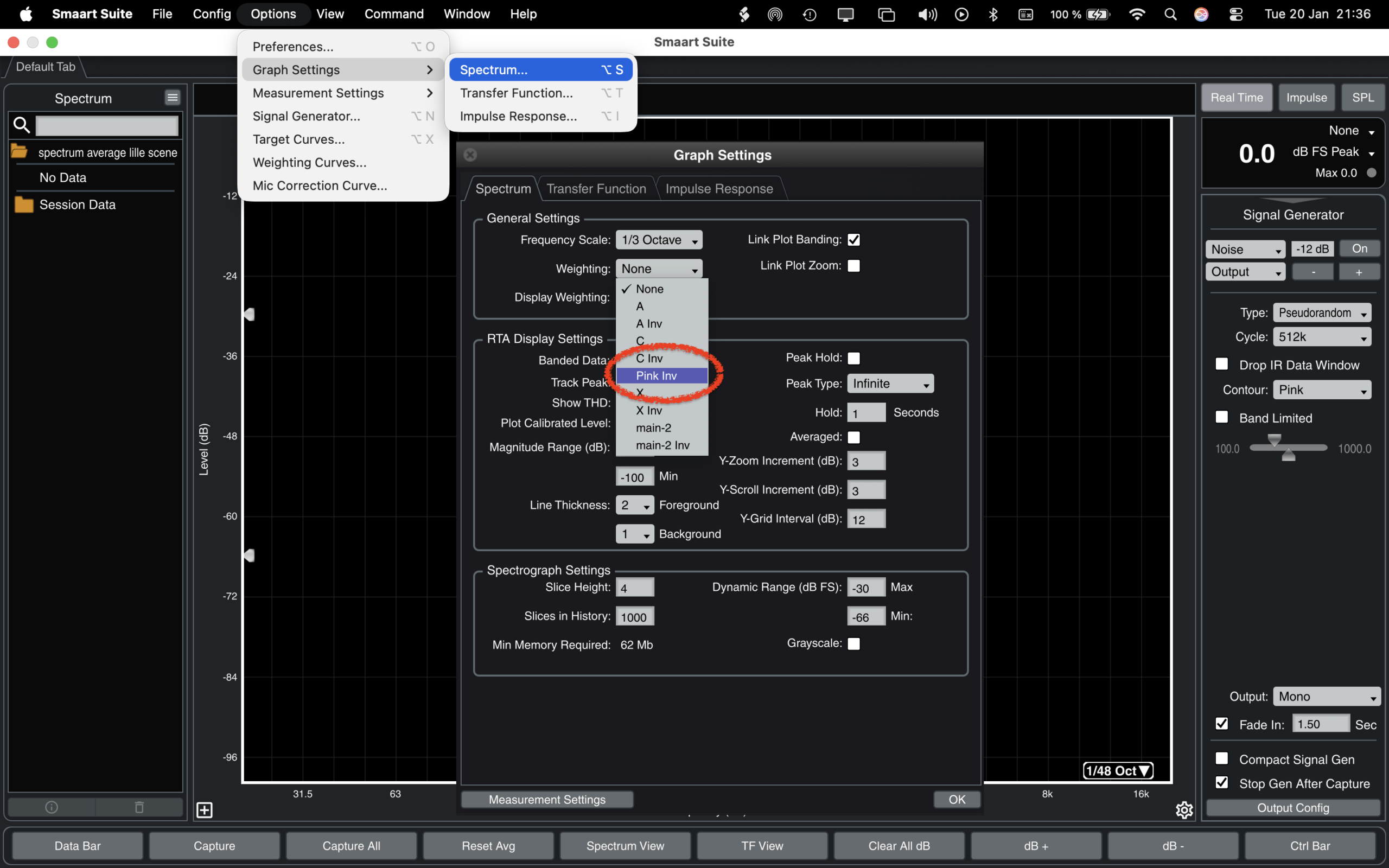
Inverse Pink Weighting is designed for use with spectrum (RTA) measurements. When enabled [Options >>> Graph settings >>> Spectrum >>> Inv Pink] it applies a weighting curve that counteracts the natural −3 dB per octave slope of pink noise as displayed on a logarithmic frequency scale. The result is that an ideal pink-noise-excited system will appear visually flat on the RTA.
This makes it easier to assess overall spectral balance at a glance. Instead of mentally compensating for the expected downward slope of pink noise, you can focus directly on deviations caused by the loudspeaker system or the room. If the trace is flat with Inverse Pink Weighting engaged, the system is producing roughly equal energy per octave across the spectrum.
Inverse Pink Weighting does not replace transfer-function measurements or detailed tuning work, but it can be a useful visual aid when checking tonal balance, comparing system states, or making quick adjustments during setup. For many workflows, it’s simply a faster and clearer way to judge whether a system is broadly “pink-balanced” without having to eyeball a falling response curve.
Upcoming Seminars
-

Private Smaart Class
in venue
by appointmentPrice range: $ 5,000.00 through $ 8,000.00 -

Smaart Online Seminar Package
via ZOOM
by appointmentPrice range: $ 750.00 through $ 1,250.00 -

Smaart Online Workshop
via ZOOM
by appointmentPrice range: $ 200.00 through $ 300.00 -

Smaart Online Workshop
via ZOOM
every Wednesday$ 60.00 -
Smaart Z2H Seminar
KRISTIANSAND
22-25 February 2027From: Original price was: $ 999.00.$ 899.10Current price is: $ 899.10. -
Smaart Z2H Seminar
OSLO
24-27 May 2027From: Original price was: $ 999.00.$ 899.10Current price is: $ 899.10.

